
Indie App Devs #12
Weekly tips for indie app developers.
Hello! 👋
This week Wilmer Terrero owner of ASO.report tool is sharing his knowledge on how to correctly price your app. From strategies to features to pricing tactics.
Sponsor 🤝
Create App Store Screenshots in Minutes
AppScreens is an App Store screenshot generator, built to help app developers release their iOS app with professional App Store screenshots.
Create one responsive design, then instantly generate iPhone and iPad screenshots for every language.
One-click upload to App Store Connect means no manual resizing, no messy exports, and faster releases.
How to Price Your Indie App, For Real
One of my apps costs $0 to run. It’s freemium. And it’s making money on autopilot.
Another indie dev Jack Friks took Lovelee app from 0 ➡️ $4,307 MRR in 7 weeks. Also freemium. 90k downloads. Total proceeds: $9,877 USD.
My AI Identifier apps? Different beast. They have real costs: AI calls, servers, the whole stack.
So I charge $7.99/week. Sounds expensive. It’s not. It’s a hack.
What the hell is with prices ending at .99? Relax… I will explain, buddy.
Most pricing advice tells you to “calculate your costs” and “survey users.”
That’s fine if you’re building enterprise SaaS. But for indie apps? It’s noise.
Here’s my NO BS guide on how to actually price your indie app:
Step 1: Pick your game
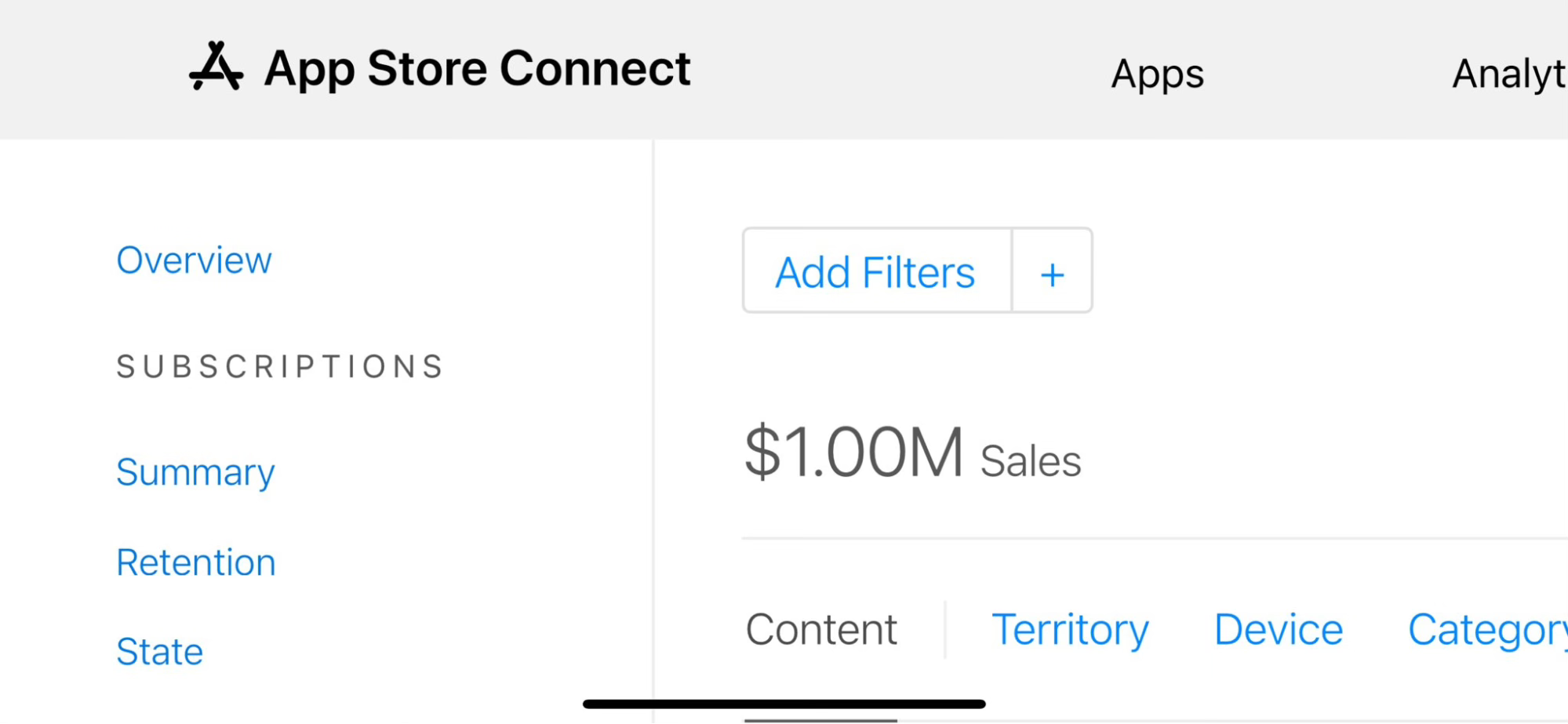
There are really only three games worth playing (games that I’m playing with my apps):
1. Freemium with feature lock: Free download, premium features locked. User tries the app, gets hooked, then pays to unlock what they now need. Works when costs are near zero.
2. Freemium for volume: Free download, soft paywall. Maximize installs, monetize a fraction. Works when your niche has massive search volume.
3. Weekly premium: Free trial, then weekly subscription. Works when you have real costs (AI, servers) and deliver real value. The weekly price looks small. It’s not.
Pick one. Don’t try to be clever with paywalls on day one. You have no leverage yet.
Step 2: Know your costs (actually)
Before you price anything, know what you’re working with.
My app Water Remover Pro:
- Hosting: $0 (on-device processing)
- Backend: $0
- Ads: $0
- Apple’s cut: 15-30%
That’s it. My only cost is Apple’s fee. So even a $0.99 unlock prints profit.
Jack’s Lovelee app:
- Similar setup. Freemium, no hard paywall.
- 90k downloads in 7 weeks.
- Only $4,307 MRR from that volume.
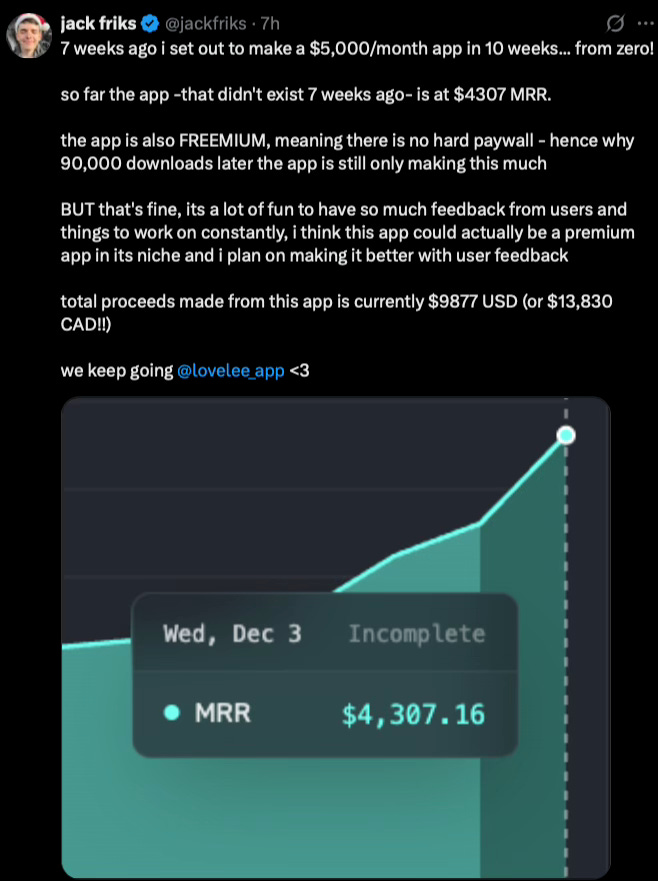
Is that bad? No. It’s a volume play. More users = more feedback = better product = eventually higher conversion.
My AI Identifier apps:
- AI API calls: Real cost per scan
- Servers: Monthly spend
- Apple’s cut: 15-30%
Every user costs me money. Free users bleed the margin. I have to charge. And I have to charge enough to cover the AI calls plus profit.
If your costs are near zero, your pricing flexibility is massive. If your costs are real, your pricing needs to be real too.
Step 3: Design the features, not the price
Price is secondary. The features are everything.
For no-cost (no backend, device processing) apps, I don’t charge for the core function. Users can do the core function of the app for free.
What’s locked:
Advanced frequencies
Custom duration
Ad-free experience
The free version works. But the premium version works better. That’s the hook.
For AI apps, the lock is different. Users get a taste, maybe one or two free scans. Enough to see the magic. Then the wall hits.
What’s locked:
- Unlimited scans
- Full identification details
- History and collections
The free version teases. The premium version delivers. That’s the model when you have costs.
Ask yourself:
- What feature would users miss if it disappeared?
- What would make them say “damn, I need that”?
- What’s annoying enough (ads, limits) to push them over the edge?
Lock that. Not the whole app.
Step 4: Set the price (finally)
Now pick a number. Here’s how I think about it:
Under $9.99/month or one-time:
Impulse buy territory
Works for utility apps, simple tools
Water Remover Pro sits here
German users love one-time apps
$12.99–$19.99/month:
User needs to feel ongoing value
Works for habit apps, content apps
Lovelee is in this range
$7.99/week (the hack):
Looks cheap. $7.99 < $31.99. Brain says “cheap.”
Actually expensive. $7.99 × 52 = $415/year.
Works for high-value, high-cost apps
AI Identifier apps sit here
This is the weekly pricing hack. Users compare $7.99 to monthly prices. $7.99 looks like nothing next to $31.99/month. But you’re billing 4x as often.
The psychology: small number = impulse buy. Even if annual math says otherwise.
Why it works for AI apps:
Users get instant value (scan something, get answer)
The “aha moment” happens in seconds
They don’t do the annual math
$7.99 feels like buying a coffee
$19+/month:
Enterprise or prosumer territory
You need serious differentiation
Not for most indie apps
Start with the frame that favors you. Weekly for high-cost apps. Monthly for everything else.
What the hell is with prices ending at .99?
$7.99 instead of $8.00. $4.99 instead of $5.00. You’ve seen it everywhere. It’s not random.
It’s called charm pricing. And it works because your brain is lazy.
Here’s the trick: we read left to right. When you see $7.99, your brain anchors on the 7. Not the 8. The first digit wins.
$7.99 feels like “seven dollars and change.” $8.00 feels like “eight dollars.” One cent difference. Completely different perception.
Studies back this up. A 2003 MIT and University of Chicago study found that $9 price endings increased demand across all three field experiments. Other research shows charm pricing can boost sales by 24%. From one cent.
Why it hits harder on apps:
App purchases are impulse decisions
Users scroll fast, compare faster
$4.99 vs $5.00 is the difference between “under five bucks” and “five bucks”
That mental bucket matters
The tiers in your user’s brain:
$0.99 = “basically free”
$1.99–$4.99 = “cheap, whatever”
$5.99–$9.99 = “okay, thinking about it”
$10+ = “this better be good”
$4.99 lives in the “cheap” bucket. $5.00 lives in the “thinking about it” bucket. Same dollar. Different psychology.
When to break the rule:
Premium apps sometimes use round numbers on purpose. $10.00 instead of $9.99. It signals quality. “We don’t need tricks.”
But for most indie apps? Use .99. Your users expect it. And it works.
One cent. Eight percent more conversions. That’s the game.
Step 5: Let volume teach you
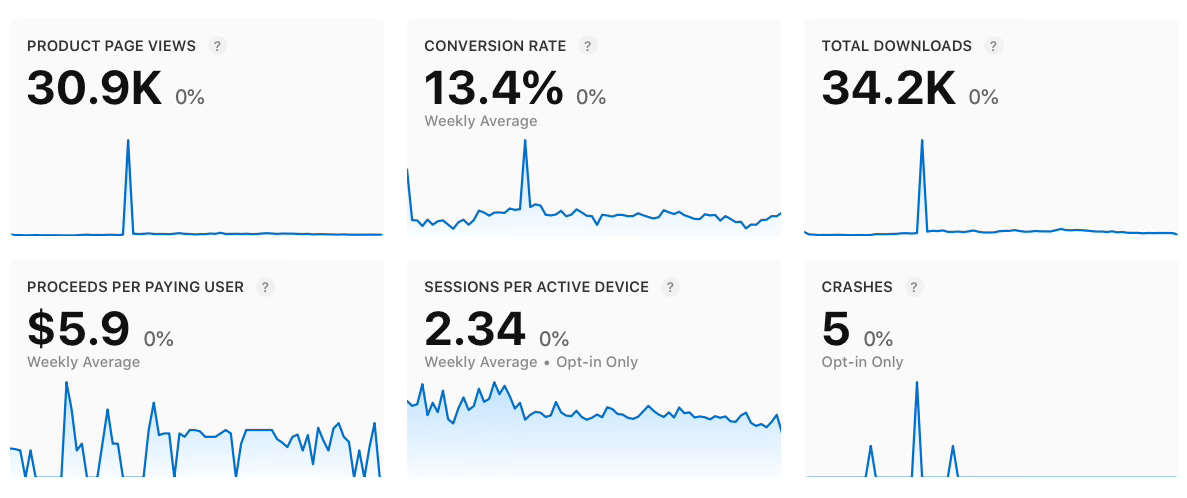
Jack Friks said it best: “it’s a lot of fun to have so much feedback from users.”
90k downloads at low MRR isn’t a failure. It’s data.
What features do people request?
Where do they churn?
What would make them pay more?
Freemium gives you room to experiment. Premium from day one does not.
Lovelee could become a premium app later. But right now, the feedback loop is more valuable than maximizing revenue.
For AI Identifier apps, the feedback is different. Users who pay $7.99/week have expectations. They tell you exactly what’s missing. That’s premium feedback.
Step 6: Don’t overthink regional pricing
Apple handles localization. Trust it.
You’re not Spotify. You don’t need a pricing team for Switzerland vs. Philippines.
Set one price. Let the store adjust. Move on.
My pricing formula
Here’s what actually matters:
Zero-cost apps:
Low costs + High volume + Smart locks = Profit
High-cost apps:
Real costs + Weekly pricing + Instant value = Sustainable profit
Not surveys. Not competitor matrices. Not pricing consultants.
Water Remover Pro: Zero costs, feature-lock premium, prints installs, converts a slice.
Lovelee: Zero costs, soft freemium, 90k downloads, $4,307 MRR in 7 weeks, iterating fast.
AI Identifier apps: Real costs, weekly premium, $7.99 looks cheap, covers AI + profit.
Three models. All work. All prove you don’t need a pricing consultant to make money.
TL;DR
1. Pick your game based on costs. Zero costs = freemium. Real costs = premium.
2. Know your costs. They dictate everything.
3. Lock features, not the app. Let users feel the value first.
4. Use the weekly hack for high-cost apps. $7.99/week beats $31.99/month in conversions.
5. Use volume for feedback. Revenue follows.
Stop overthinking. Ship it. Adjust later.
Want to learn more?
Wilmer is building ASO.report a tool that gives you feedback about how good your app store optimization is.